
Branding
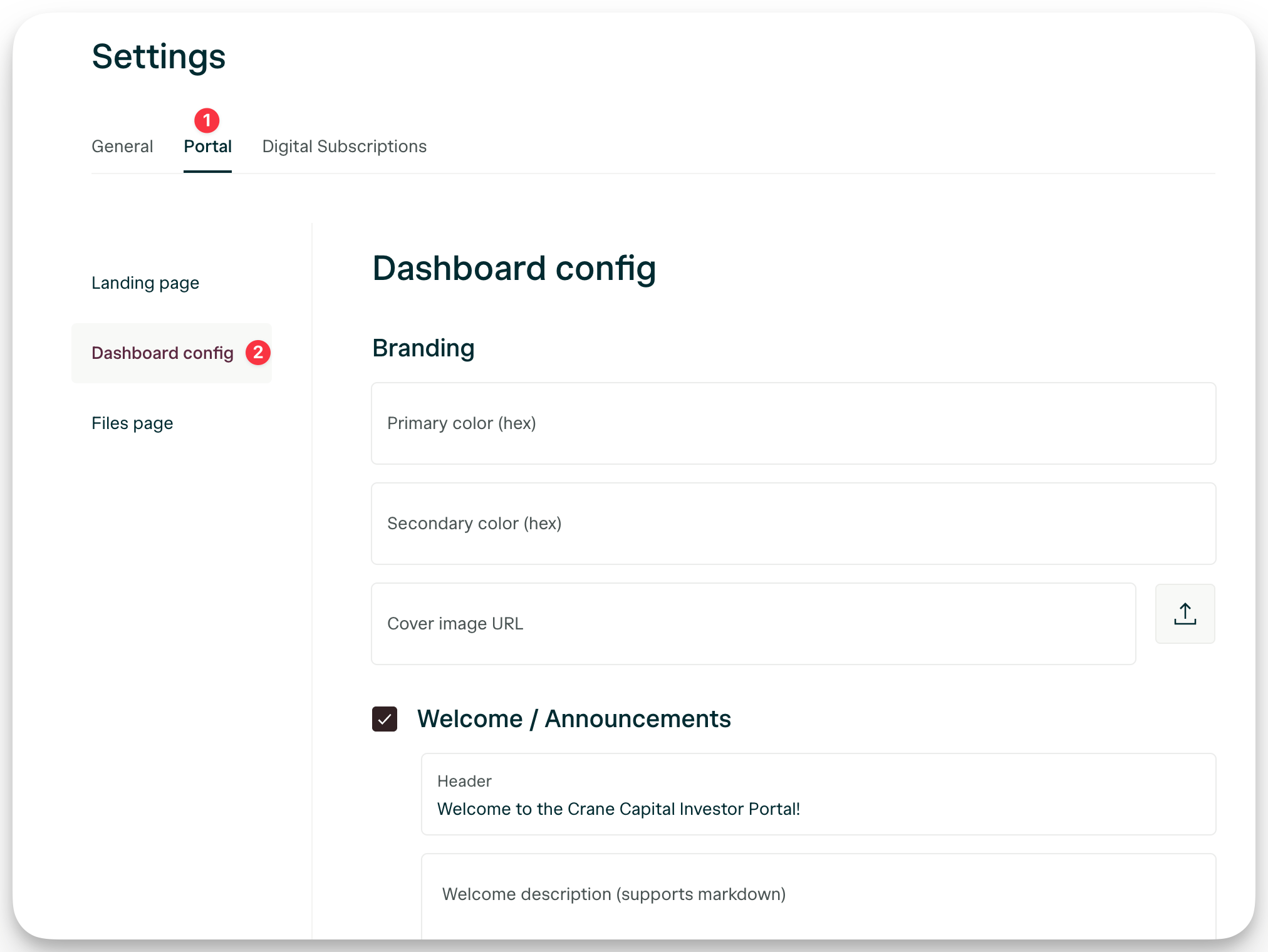
Set your brand colors in the Branding section of Dashboard config.- Primary color — Your main brand accent (hex value)
- Secondary color — Supporting brand color (hex value)
- Cover image — Background banner at the top of the portal.
The primary color will be used as a cover image of the portal if no cover image is uploaded.
Configure your portal sections
Each section below can be enabled or disabled by checking its box in Dashboard config. Add what’s ready now — you can always enable more sections later.| Feature | Description |
|---|---|
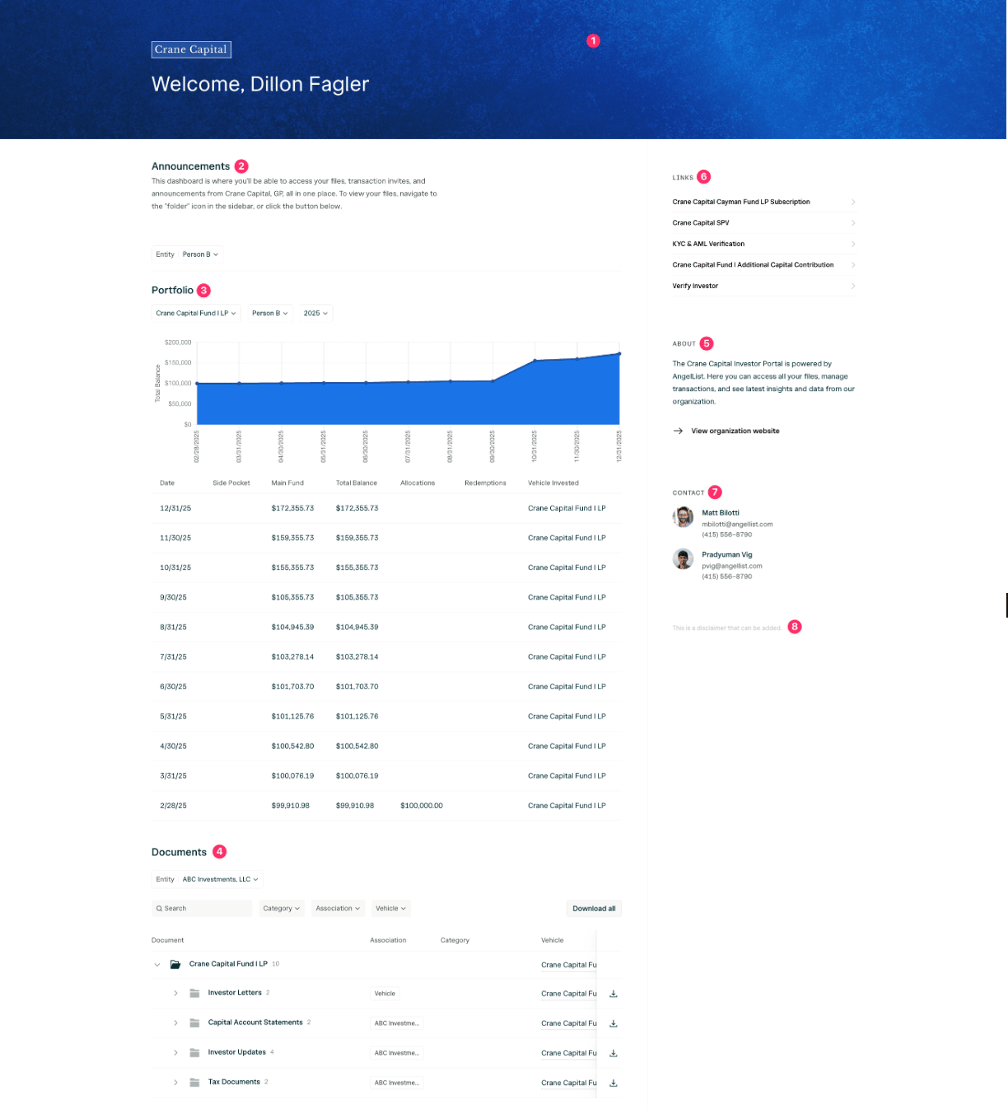
| 1. Cover image | Background banner at the top of the portal. |
| 2. Welcome / announcements | Callout investors see when they first enter the portal. |
| 3. Portfolio | Graph of investor’s holdings. *Discuss with AngelList Team for setup and upload availability. |
| 4. Documents | Surfaces uploaded documents directly on the home page. |
| 5. About | A short description about your investor portal. |
| 6. Funds / links | Links to digital subscription templates for reinvestment. |
| 7. Contact | Team member info so investors can reach the right person. |
| 8. Disclaimer | Small-print legal or regulatory text at the bottom. |