> ## Documentation Index
> Fetch the complete documentation index at: https://support.angellist.com/llms.txt
> Use this file to discover all available pages before exploring further.
# Set Viewer Permissions
> Control who can view or download documents.
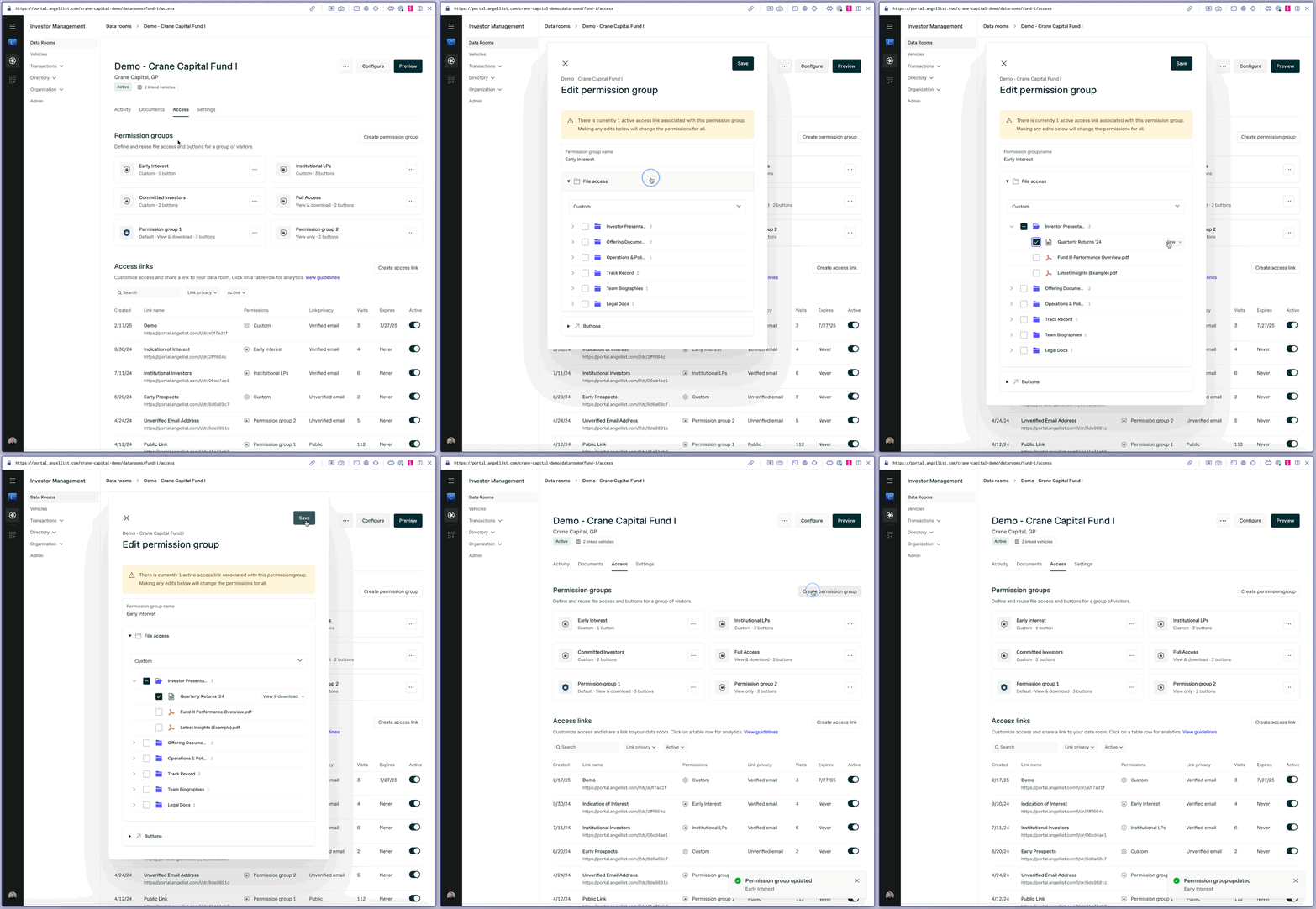
Viewer permissions are set at the Permission Group level:
Create labeled permission groups that determine if a user has view only, view and download, or custom access.
Custom access can be used to give users access to specific folders and/or documents instead of all of them.
You can also edit if [buttons](/data-room/managing-content/buttons) appear and what they link out to within each permission group.