> ## Documentation Index
> Fetch the complete documentation index at: https://support.angellist.com/llms.txt
> Use this file to discover all available pages before exploring further.
# Configure NDA Disclaimer Popup
> Set up a mandatory disclaimer popup that visitors must accept before entering your Data Room.
We offer two options for gating access with an NDA:
1. An embedded DocuSign experience that requires the visitor to sign a PDF before entering.
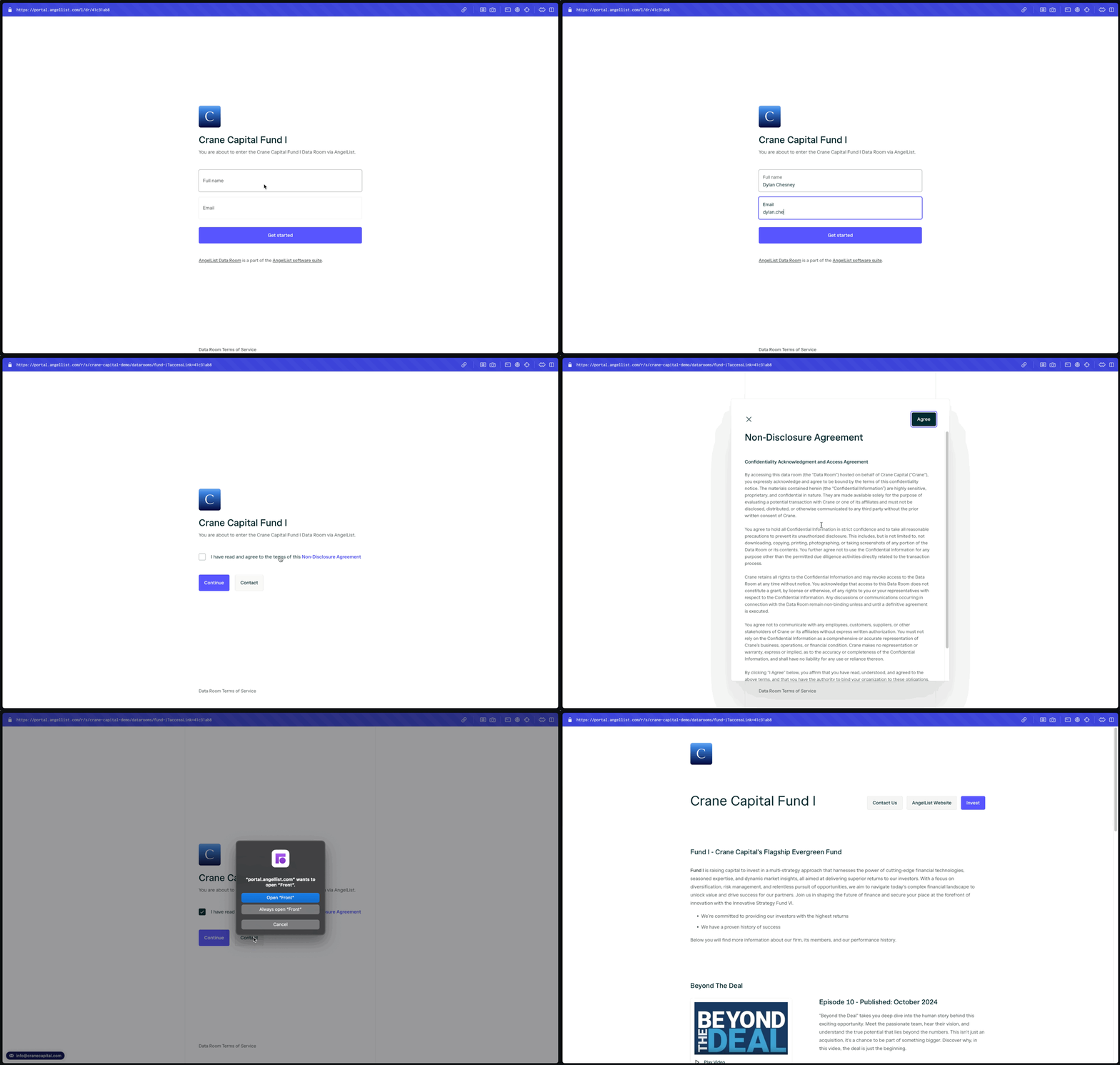
2. A lightweight alternative with a customizable title and disclaimer text shown in a scrollable popup. This functions like a terms & conditions agreement that visitors must accept to proceed.
1. You can edit the NDA text on the **Settings** tab -> Security & compliance.
Here is a GIF of the investor experience of accepting a text-based NDA:
 Analytics on NDA acceptance is tracked on both the Activity and Access tabs.
Please see [Access Links](https://support.angellist.com/data-room/features/permissions#access-links) to learn which links will enforce the NDA upon accessing your Data Room.
For DocuSign integrated NDA signing, please reach out to us at [portal@angellist.com](mailto:portal@angellist.com) so we can discuss this feature with you.
Analytics on NDA acceptance is tracked on both the Activity and Access tabs.
Please see [Access Links](https://support.angellist.com/data-room/features/permissions#access-links) to learn which links will enforce the NDA upon accessing your Data Room.
For DocuSign integrated NDA signing, please reach out to us at [portal@angellist.com](mailto:portal@angellist.com) so we can discuss this feature with you.