> ## Documentation Index
> Fetch the complete documentation index at: https://support.angellist.com/llms.txt
> Use this file to discover all available pages before exploring further.
# Analytics Table
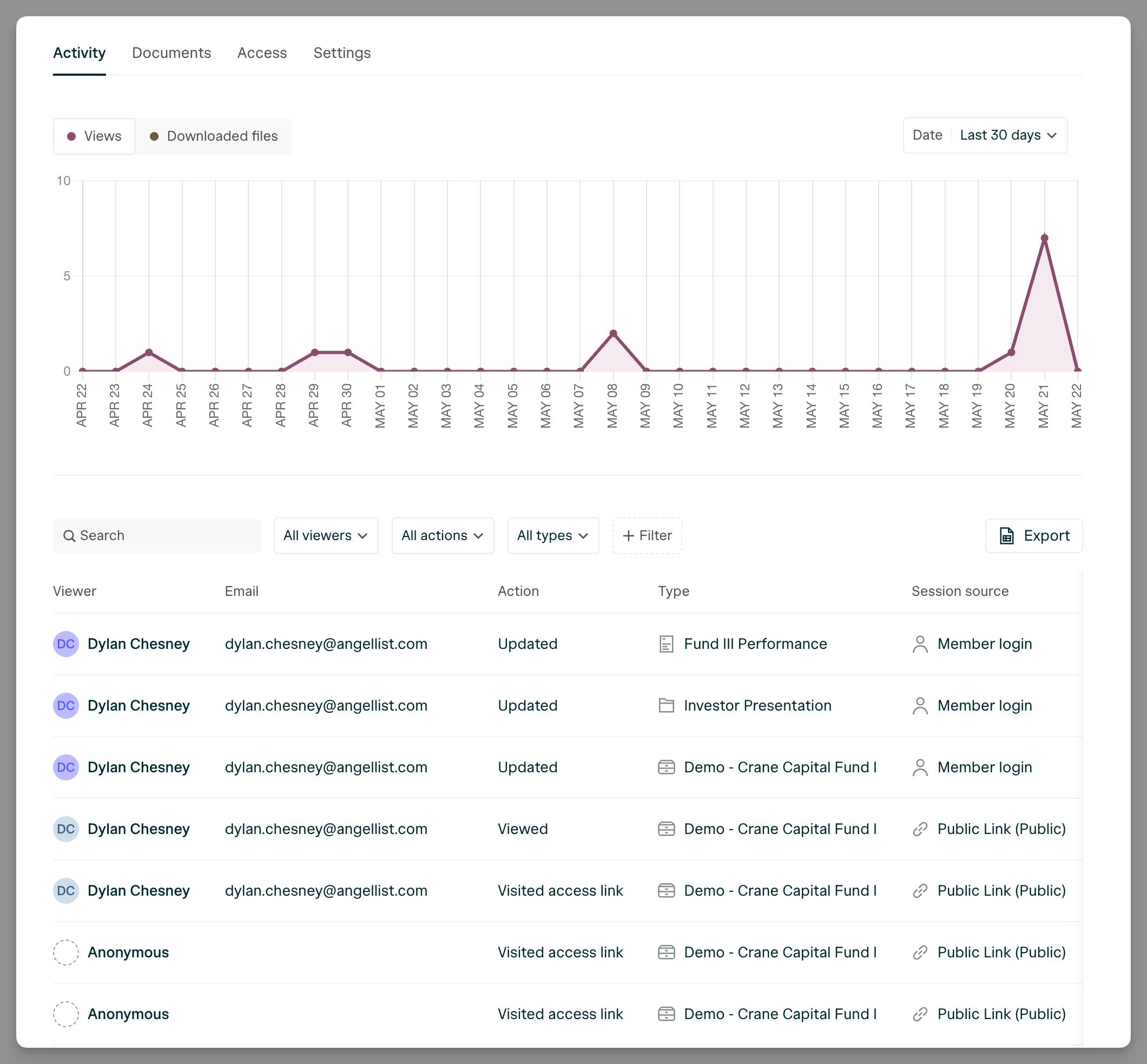
> Access key stats like number of views, popular files, and recent visitor activity at a glance.
## Activities
The **Activity** tab provides a detailed, exportable table of visitor analytics. You’ll see insights on both internal and external viewers, including which documents they accessed, how much time they spent on each file, and how they entered the Data Room (e.g. via email invite or public link).
 ## What kind of analytics are tracked?
### Internal
| Event | Details |
| -------------------------- | -------------------------------------------------- |
| Data Room Settings Updated | Changes made to the configuration of the data room |
| File Uploaded | New file added to the data room |
| File Permissions Updated | Permissions modified for a specific file |
| File Deleted | File removed from the data room |
***
### External
| Event | Details |
| --------------- | ----------------------------------- |
| File Viewed | Average time spent on each page |
| File Downloaded | File downloaded by an external user |
## What kind of analytics are tracked?
### Internal
| Event | Details |
| -------------------------- | -------------------------------------------------- |
| Data Room Settings Updated | Changes made to the configuration of the data room |
| File Uploaded | New file added to the data room |
| File Permissions Updated | Permissions modified for a specific file |
| File Deleted | File removed from the data room |
***
### External
| Event | Details |
| --------------- | ----------------------------------- |
| File Viewed | Average time spent on each page |
| File Downloaded | File downloaded by an external user |